


This article was originally published on 15th May 2025 and was written by a former employee of Netizen eXperience, Tey Swan Ling.
These days, AI is everywhere; singing promises of speed, efficiency, and creativity. However, as a UX researcher, I felt a disconnect. I knew the good and the bad of using AIs, but where are the real stories, the nitty-gritty details of how to use AI in actual UX research? To satiate my curiosity, I wanted to understand how to use it, and how useful AI truly is.
Fortunately, I had the opportunity to test out Google’s Gemini Advanced (and AI-powered Google Meet features). I used them as my research sidekicks in an internal user interview study to create potential user personas for a digital wallet app company. (Just to clarify, this is not a sponsored post, my company uses Gemini Advanced as part of our internal tools).
To set expectations ahead, this article is more like a research diary to share my experiences, struggles, and practical examples of using AI in the different phases of the UX research process; from preparation and planning (Phase 1) through data analysis (Phase 4). The study also excluded external factors such as client feedback and discussion, allowing me to concentrate solely on comparing AI-assisted vs. traditional workflows and AI's impact on the research process itself.
To give you a little preview, at some points, Gemini felt like a true research sidekick, an efficient and creative brainstorming partner. Yet, as you'll discover, our human understanding and interpretation were essential in truly making sense of the findings, a real team effort, you could say.

Phase 1: Project Planning - Laying the Groundwork with Gemini
Let’s start with Phase 1 – project planning. My first interaction with Gemini involved creating a research plan. I provided it with the specifics of the project: my role, the objectives, the target participants (internal colleagues in this case), and the expected deliverables. I also uploaded a sample of a past user persona document as a reference point.
Efficiency Boost: Initial Output Generation
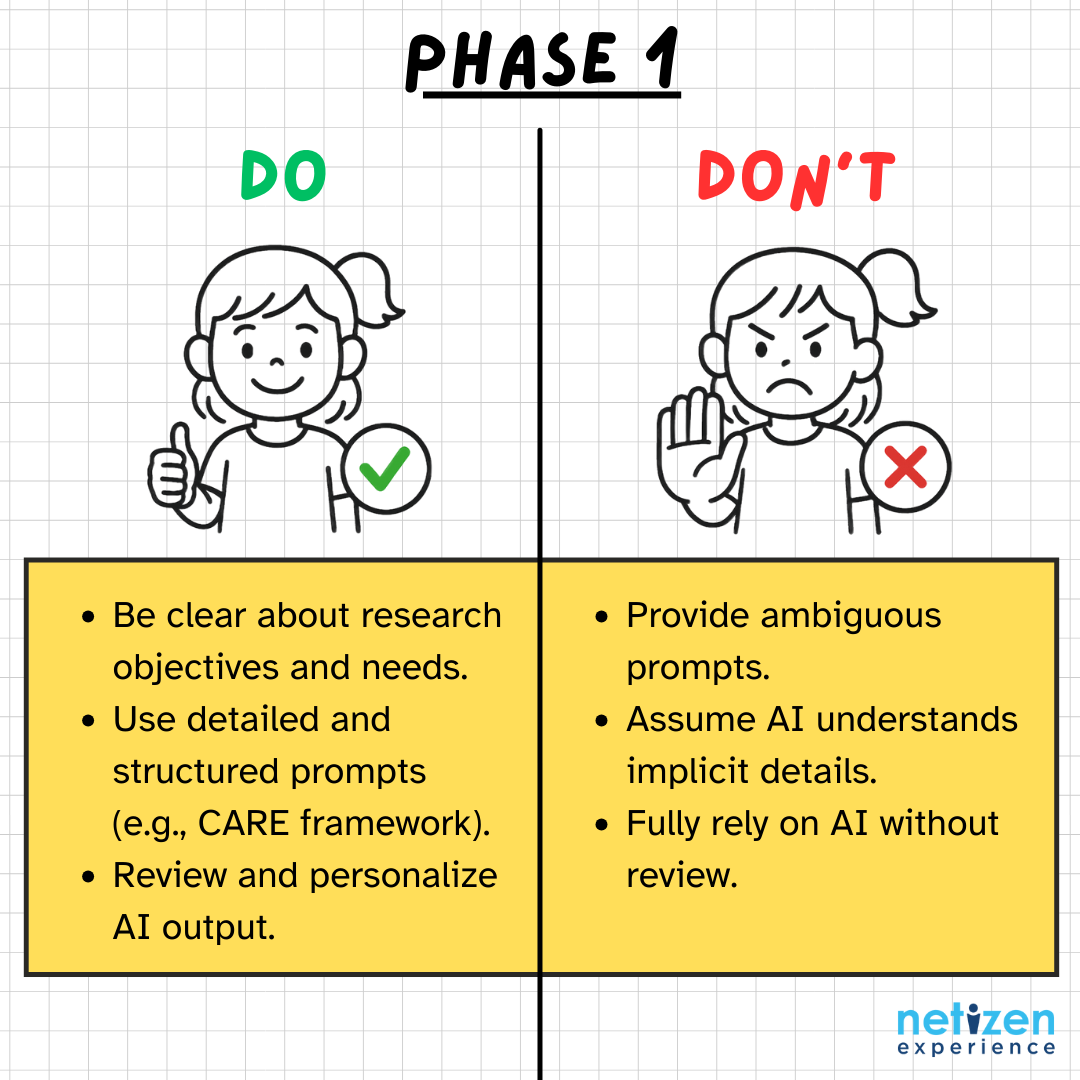
As you can already guess, Gemini is capable of almost immediately generating initial project outlines and plans, accelerating the beginning stages. This turnaround was undeniably faster than your usual manual process. All I had to do was transfer the output to a new file for documentation purposes. If there is anything to take note of, it is essential for the UX researcher to be clear about research objectives and needs for effective AI utilization, which we will talk about next.
Prompt Engineering: The Art of Guiding AI
Effective AI utilization involves making precise and detailed prompts. Remember the CARE framework (Context, Ask, Rules, Examples) from our earlier article? I tried to employ it to structure my prompts for optimal results. Here’s what I wrote:
Context: I am a mid-level user researcher with 3 years of experience in Malaysia, working in a digital UX agency that serves clients in various industries such as finance and insurance. I am currently in the stage of planning a research study.
Ask: I need to develop user personas to understand users' financial behaviors and payment method preferences.
Rules: The study should focus on users in Malaysia. I plan to conduct 6 user interviews, each lasting 30 minutes, and complete the project within 5 working days. I will recruit my colleagues as my participants.
Examples: Please include in the user persona documents: The demographics, key goals, we must’s, we must not’s, behaviors, and pain points. Here is an example of a user persona document for reference [attach relevant document].
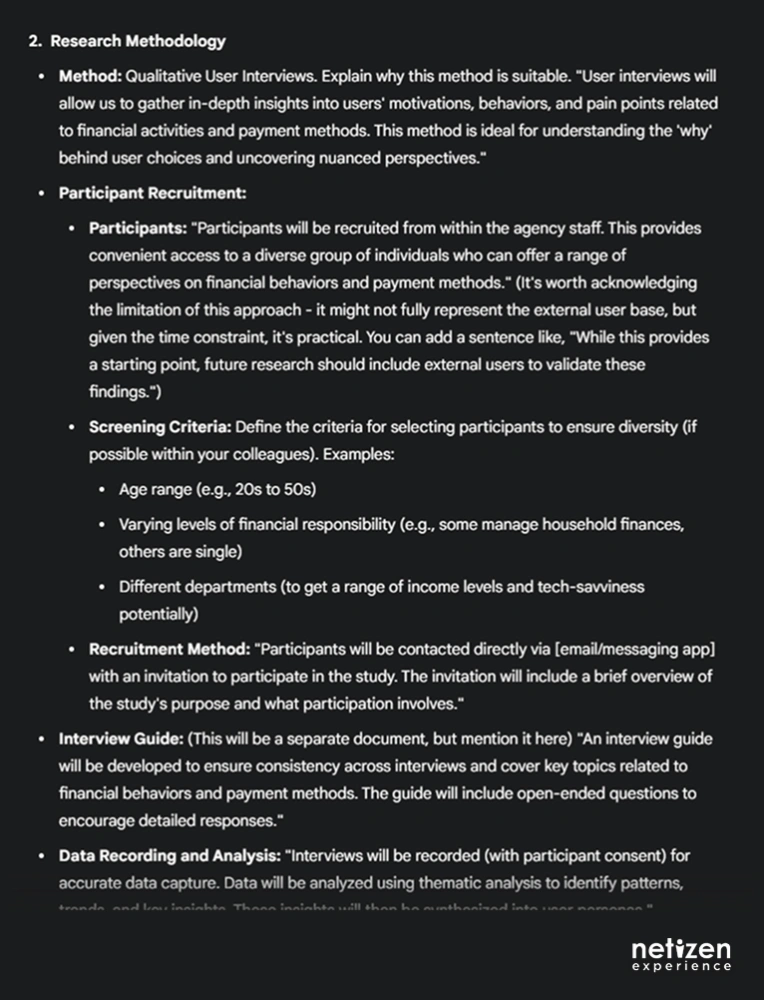
With detailed context, Gemini was able to generate a tailored and comprehensive project overview; covering objectives, research methodology, target respondents, topics for discussion, deliverables, and a suggested timeline.
Personalization is Key: Refining AI’s Output
To wrap up the use of AI in this phase, I did my own review, refinement, and personalization of the project plan to make sure they align with my specific needs. AI-generated content is a great starting point, but the danger in fully relying on AI is that it naturally makes assumptions if you do not provide it with sufficient details or only provide ambiguous prompts and context.
For example, in my first attempt at prompting, I did not mention that I was getting my colleagues as participants for my internal study. Gemini naturally presumes that I am running this study with actual participants – after which, Gemini made adjustments to the recruitment strategy and time needed accordingly.
Overall, I had no major concerns with Gemini’s Phase 1 output. However, I did need to manually prompt it to add my preferred testing setup: online interviews recorded via Google Meet.
Another thing to note is that you will see a pattern that information from AI tends to be more generalized, lacking the specific nuances and details that stakeholders typically prefer. Hence, I suggest that you take what you need, then review the output to fill in the blanks with information that Gemini missed out.
Ready to turn this plan into action? Continue the journey in Part 2 (Recruitment), and see how the rest of the project unfolded in Part 3 (Fieldwork) and Part 4 (Analysis).


